Landing in a new country can feel like stepping into an unfamiliar story. Making sure you stay connected travel is essential to turning that story into a smooth adventure.
Whether you’re managing work obligations, checking family updates, or sharing photos with friends, a dependable connection quickly becomes your lifeline and your best travel companion.
Let’s dive into clear, practical steps and strategies that help you stay connected travel, wherever your passport leads—without confusion or unwanted surprises.
Setting Up Your Tech Toolkit Before Departure
Packing the right tech is the first actionable step for anyone wanting to stay connected travel. Plan ahead to avoid last-minute snags at the airport.
Organizing your toolkit at home keeps travel stress at bay. Give yourself at least a week to test, update, and verify every connected device you plan to bring.
Choosing Which Devices Come With You
List only what you’ll actually use each day on the road. For many, one phone, headphones, a power bank, and an adapter are enough for daily use.
Someone heading out for a month of work might say, “I need my laptop for emails, but the tablet can stay home.” Streamlining keeps your bag lighter and security checks quicker.
If you enjoy taking photos with a dedicated camera, test its memory card and charging cable before departure. This is where many travelers discover issues too late.
Updating Software and Backing Up Data
Install all pending updates at home, using secure Wi-Fi. Updated devices are better protected from new threats and perform smoother abroad.
Run a quick backup of your phone and laptop; this is your safety net. If something happens, you’ll have peace of mind knowing your data is safe in the cloud or on a drive.
Making these updates lets you keep your focus on exploring, rather than troubleshooting glitches or fixing preventable issues while abroad. Stay connected travel is easier with devices running their best.
| Tech Item | Why Bring It | Prep Task | Action to Take |
|---|---|---|---|
| Smartphone | Navigation, messaging, calls | Update apps & software | Test SIM settings before you leave |
| Universal Adapter | Charge devices anywhere | Check plug types for destination | Pack in top pocket for easy access |
| Portable Battery | Keep powered on long travel days | Fully charge at home | Stow in carry-on with cable |
| Noise-Canceling Headphones | Block airport or flight noise | Test connection on all devices | Place in case near electronics |
| Laptop or Tablet | Work, media, larger browsing | Sync files you’ll need offline | Back up data prior to trip |
Securing Reliable Mobile and Internet Abroad
Understanding local mobile options helps you stay connected travel whether you land in a village or a megacity. Take time to decide between SIM cards, eSIMs, and roaming.
Local plans minimize costs while providing stronger coverage than international roaming. Compare them before booking your first layover so you can hit the ground running.
Buying a Local SIM Card at Arrival
Many airports display booths for local SIM cards near baggage claim. Store staff will insert the SIM and test it with you right away.
If you’re hesitant to buy at the airport, research independent stores near your hotel. They sometimes offer better deals, especially for longer stays or data-heavy use.
Keep your home SIM safe in a labeled envelope. That way, you can switch back easily after your trip ends and avoid accidental loss.
- Buy a SIM card package that includes data for maps and messaging, to avoid dead zones when searching for directions.
- Ask for activation confirmation at the store so you know your new number is working before leaving.
- Store your home SIM somewhere secure so you can reinstall it after your trip—use a small resealable bag or envelope.
- Scan the SIM packaging for account or recharge instructions so you can top-up remotely, without needing a new card.
- Take a photo of your SIM info sheet so you always have your number and plan details handy, even without internet.
Choosing eSIM or Physical SIM
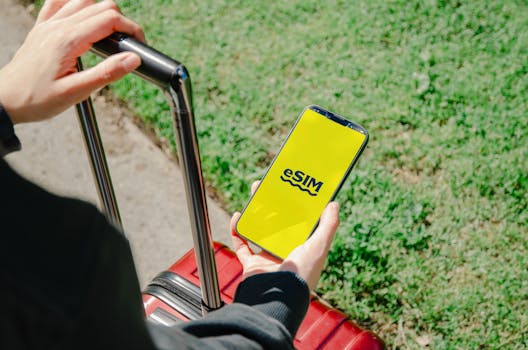
Modern phones support eSIM activation. You scan a QR code, and the plan loads instantly—no plastic card to lose or swap. Check device compatibility before travel.
An eSIM suits travelers hopping between countries, since plans can be layered and changed digitally. A physical SIM is still best where eSIM coverage is limited or devices are older.
- Download the eSIM provider’s app in advance so you can set up on Wi-Fi before your trip, preventing setup glitches mid-arrival.
- Test your eSIM switch by briefly toggling between profiles. This confirms both plans are functional before departure day arrives.
- For dual-SIM phones, label profiles by country in settings. This helps prevent accidental use of your home plan, and keeps costs in check.
- Never remove your home SIM without first recording its PIN code. Store PINs in a password manager to prevent lockouts later.
- Visit the provider’s troubleshooting section before your trip for common fixes. This way, you won’t be surprised if setup takes longer than expected.
Equip yourself with multiple connectivity options so you can adapt quickly, preserve budget, and successfully stay connected travel throughout your journey.
Smart Use of Wi-Fi and Offline Tools
Maximizing free and safe Wi-Fi lets travelers stay connected travel without burning through mobile data. Use this strategy in airports, hotels, cafes, and attractions.
Offline apps fill in gaps when wireless service isn’t available, so you’re never stranded for directions, translation, or emergency contacts during your trip.
Finding and Using Public Wi-Fi Responsibly
Public Wi-Fi shines for map downloads or files, yet it’s crucial to avoid entering sensitive data on open networks. Stick to password-protected hotspots in hotels or airports.
Cafes and shops usually have Wi-Fi for customers; some post the password by the register. Ask politely: “Could I use the Wi-Fi to check my travel plans?”
Always disconnect from public Wi-Fi after tasks are complete. Doing so helps protect privacy and reduces the risk of digital snooping or unwanted data use.
Preparing Offline Maps and Travel Apps
Before you leave Wi-Fi, download city maps and key app content for offline use. Google Maps and app store travel folders offer offline modes for turn-by-turn guidance.
Translate must-know phrases using a translation app’s offline dictionary. Save the hotel address or landmark notes inside notes apps or exported PDFs for quick reference if lost.
By prepping offline, you never rely entirely on connectivity. This safety net lets you confidently stay connected travel even between signal zones.
Tailoring Communication for Seamless Connection
Optimizing messages and calls enhances your ability to stay connected travel with loved ones and clients alike. Streamline methods to suit data strengths and tech skills of both sides.
Choose a main communication app, agree to it with your contacts, and teach your main contacts any app basics if they’re unfamiliar with technology.
Setting a Family or Work Group Chat
Invite key travelers and home contacts into a group chat before departure: “Let’s use WhatsApp for quick updates and photos.” Make sure everyone can send and receive messages easily.
Pin the chat to the top of your app. Set clear ground rules: urgent messages get the red exclamation, daily recaps go in the evening, photos share in albums.
Use the group to troubleshoot: “Does anyone else’s boarding pass scan work?” Keeping everyone connected in one thread prevents forgotten check-ins or duplicated updates.
Using VoIP and Wi-Fi Calling Features
When you’ve got strong Wi-Fi, switch calls to VoIP (Voice over Internet Protocol) apps like Skype, Zoom, or FaceTime to stretch data further. These use far less mobile data than regular calls.
On arrival, remind family: “I’ll call over Wi-Fi whenever possible—pick up if you see an internet number!” You avoid roaming charges, and it keeps your home number linked.
This coordinated strategy bolsters your ability to effortlessly stay connected travel and reduces expenses during all trip stages.
Keeping Privacy and Security Top of Mind
Building solid privacy habits overseas continually protects your personal info as you stay connected travel, especially in unfamiliar digital landscapes.
Applying key routines reduces risk: secure passwords, regular logouts, and monitoring for unusual account activity all help reinforce your travel safety net.
Using Strong Logins and Two-Factor Authentication
Set strong, unique passwords for email, banking, and messaging accounts before flying. Activate two-factor authentication (2FA) with an authenticator app, not just text messages.
Screenshot backup codes or write them down. Store offline so you aren’t locked out if you lose your phone or can’t receive SMS codes abroad.
If you’re ever prompted to verify logins, check for signs of phishing. Never click suspicious links or enter passwords on unexpected screens, especially on public Wi-Fi.
- Change all major account passwords to fresh, complex ones before your journey—add symbols and numbers for extra strength.
- Switch to an authenticator app for 2FA rather than SMS, which might not deliver abroad or with a different SIM.
- Review account recovery options for every critical app or site, so you’re prepared to regain access in case of trouble.
- Activate remote wipe features on devices, so you can erase data if lost or stolen—test this before departure.
- Sign out of unused accounts on shared or public computers, and clear browser history after each session abroad.
Recognizing and Avoiding Scams
Stay alert to scams that prey on travelers, like fake Wi-Fi networks promising free access in touristy spots. Wrong network? Walk away and don’t connect.
If someone asks you to scan a QR code or enter details at a random kiosk, politely decline—stick to official channels for payments or downloads.
Share only necessary personal info, and confirm site authenticity before payments or sensitive uploads. Treat every public connection as a potential risk and act accordingly.
Adapting Strategies for Different Destinations
No two countries handle connectivity the same. Adapting based on local standards, customs, and regulations ensures you stay connected travel anywhere from Tokyo to rural Patagonia.
Ask hotel staff or other travelers which plans or Wi-Fi spots are most reliable and trusted—locals know best, and recommendations save time and money.
Checking Signal Quality by Region
Download a coverage map app pre-trip and review your most-visited neighborhoods to see where service is strongest. Rural and mountainous regions can surprise you with dead spots.
If you’re road-tripping, buy a local SIM in the city and keep directions saved offline for the countryside. Urban digital life rarely matches remote terrain coverage.
A taxi driver might share, “We use this SIM for the mountain routes—many others cut out.” Drawing on such advice makes it simpler to stay connected travel during unexpected detours.
Observing Local Customs and Tech Etiquette
Public phone calls or headphone use might be frowned upon in religious or formal settings. Observe your environment, and check how locals navigate these boundaries.
Downloading region-compatible apps or translation packs prevents language pitfalls. Some social media and messengers are blocked in certain countries, so research alternatives before leaving home.
Stay connected travel by slotting into local routines—refining your approach so you blend in and make the most of every online touchpoint, without becoming the obvious outsider.
Planning for Unexpected Disruptions
Flexibility is the backbone of long-term connectivity. Even the best plans sometimes go sideways, but backup solutions mean you’ll always find a way to stay connected travel.
If something fails, remain calm and try the next best option: backup SIMs, Wi-Fi passes, or calling cards become invaluable at these moments.
Building Your Emergency Connection Kit
Include a printed list of family phone numbers and embassy contacts in your wallet. Keep a small stash of coins for payphones if traveling somewhere rural or remote.
Some travelers write down short scripts, such as, “I’m a visitor and need internet access—is there any way I can connect?” This anticipates any unforeseen scenario and builds confidence.
For truly remote expeditions, consider a portable hotspot device or prepaid phone cards—tested in advance to confirm signal and usability. Stay connected travel remains possible even offline.
Building Lasting Habits That Support Travel Success
Packing your habits as carefully as your bags ensures you continually stay connected travel, no matter how many borders you cross or cities you visit.
Practice regular connection check-ins: morning signal tests, evening app logouts, and midday data usage reviews quickly become second nature when traveling long term.
Designate quick daily moments to send updates or download offline resources, such as while charging in the hotel or during breakfast—habit makes these routines automatic, not chores.
Your readiness to shift tactics, try new apps, or reach out for help locally cements the habit of always finding connection solutions as conditions change.
Every successful connection builds confidence for future trips. By making these strategies reflexive, you turn ‘stay connected travel’ from a chore into a skill you handle with ease.